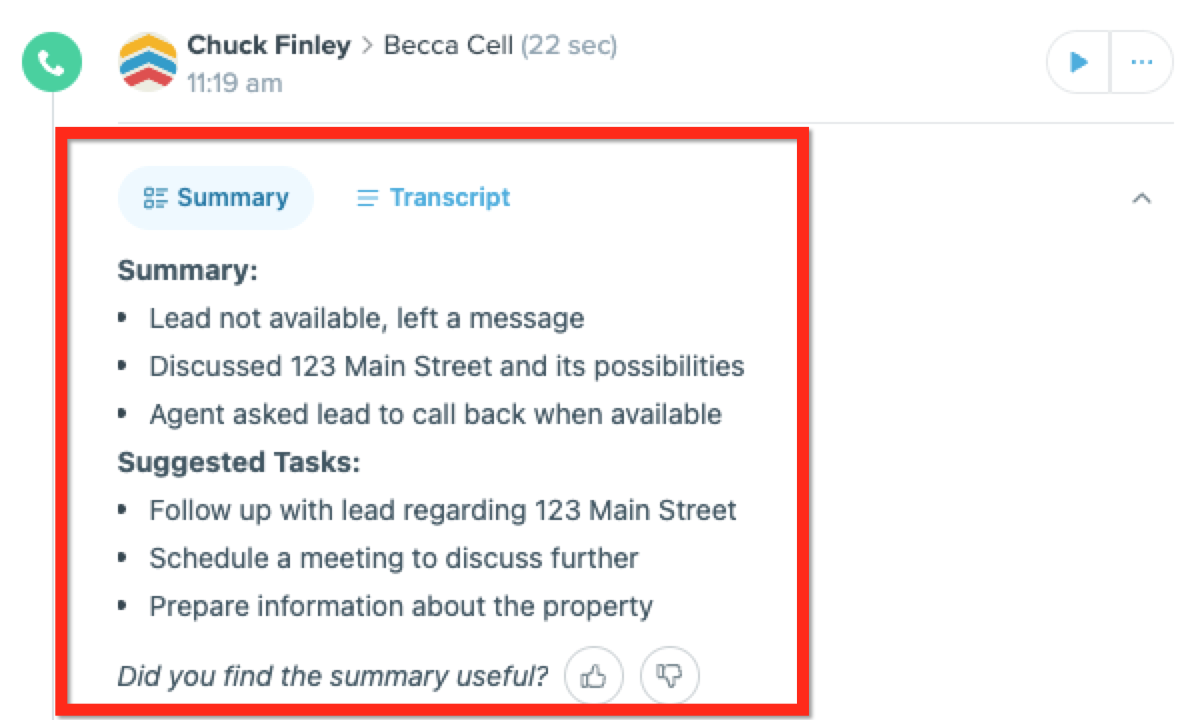
Call Transcripts and Summaries allow agents to provide better customer service as they can focus on listening to the customer and consistently follow up as the summary captures the key action items. This feature also helps account holders drive consistency across their agents. We recommend that account holders review call summaries at an agent level to identify coaching opportunities and provide feedback to agents.
Note: For more information on how to enable and disable this feature, check out Power-Up: Call Recording, Transcripts, and Summaries.
How it Works
After making a call via the FUB Number, we generate a transcript of the call using a third-party transcription service. This transcript is then sent to a Zillow-hosted large language model to generate a summary with key action items.
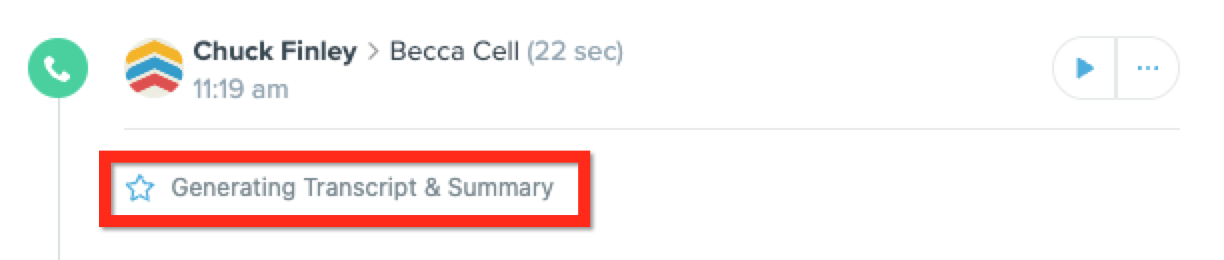
The transcript and summary are then returned and stored by FUB within 15 seconds of the call being completed.
Editing the Call Summary
Quick Edits
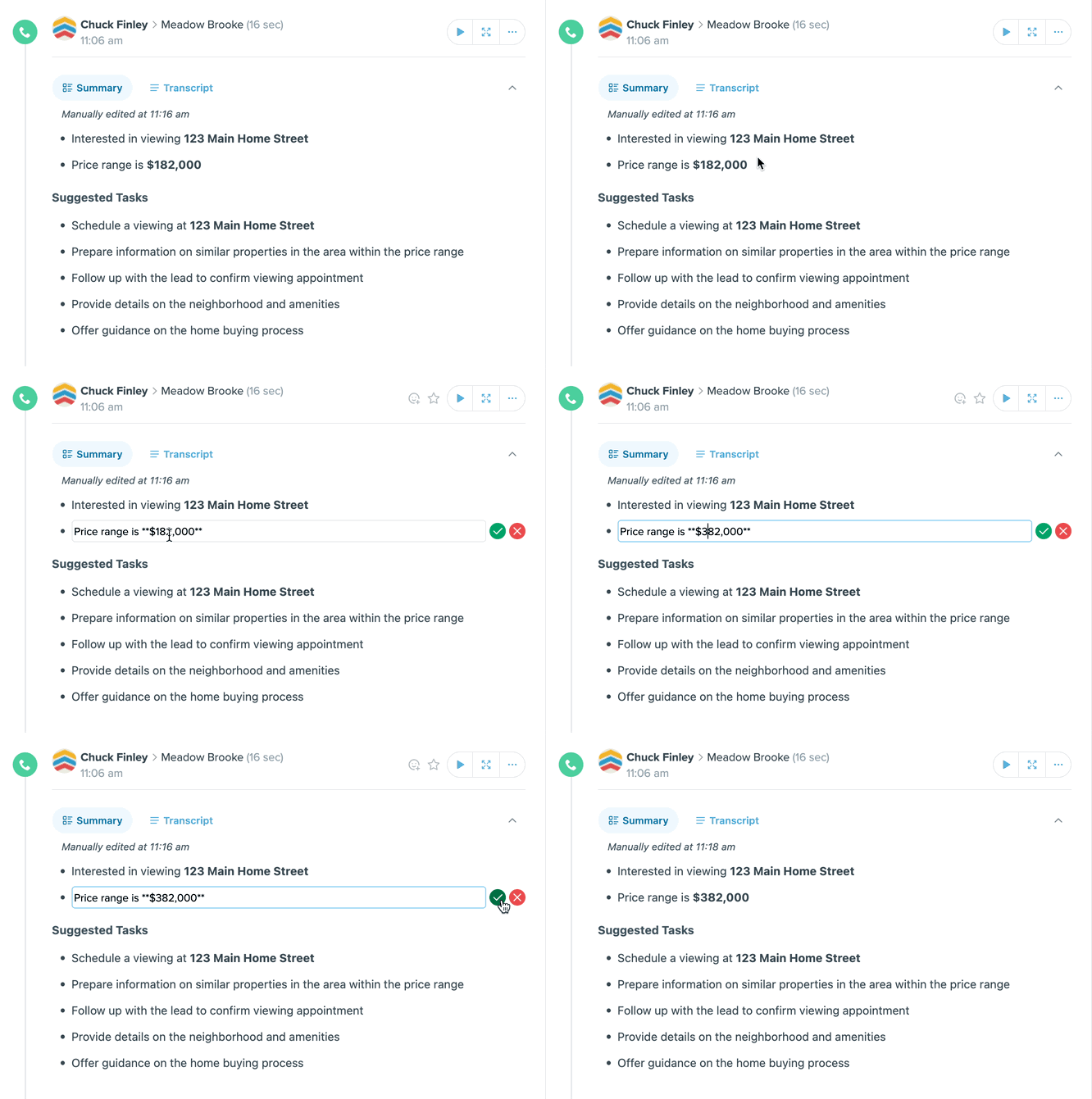
To edit a call summary, hover over the line you would like to edit > select the edit pencil > make necessary changes > green checkmark to save changes.
Deleting a Summary Line
To delete a summary line, hover over the line you would like to delete > select the trash can > delete.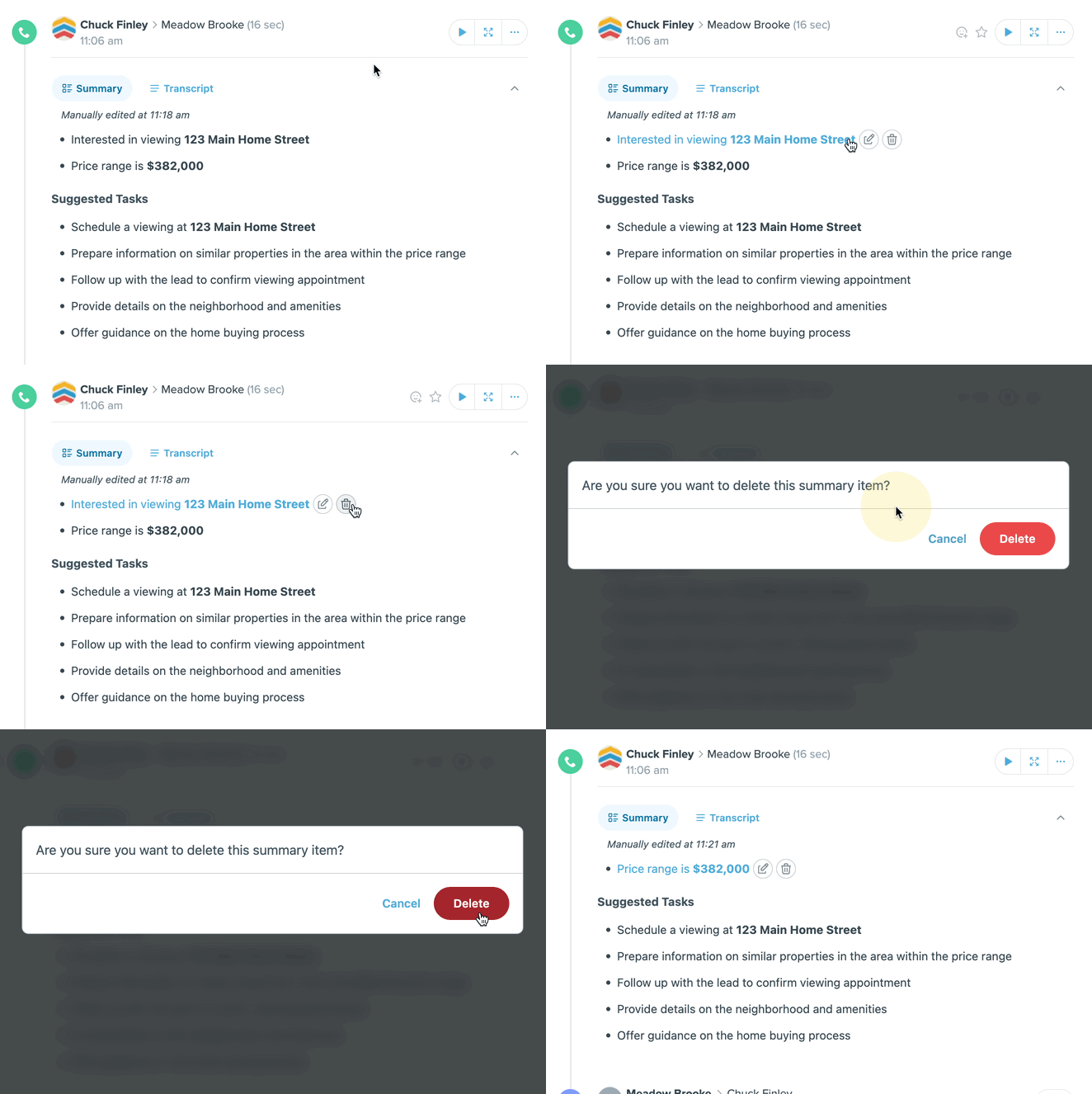
Creating a Task from the Suggested Tasks
Quickly add a suggested task to your tasks list within FUB. To do this, hover over the desired suggested task > select the + symbol > edit the title (optional) > select the task type > assignee > date and time > create task.
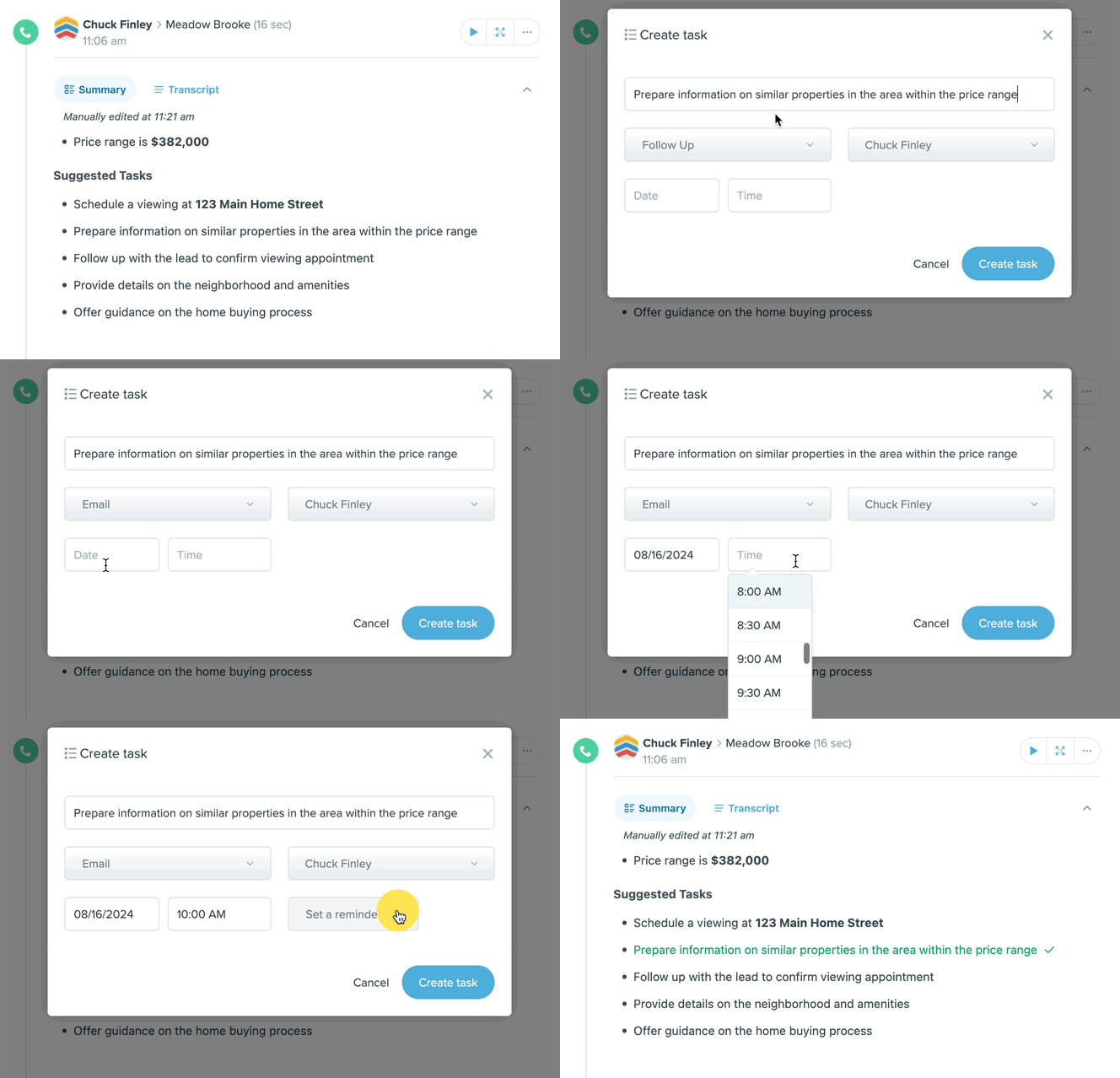
The task will automatically be added to the tasks section on the right-hand side of the lead profile. Additionally, the suggested task will appear green with a checkmark to indicate that a task has been successfully created.
AI Call Summaries Webinar
FAQs
I already have call recording enabled, how do I turn on Call Transcripts and Summaries?
Call Transcripts and Summaries are automatically generated with the call recording power-up enabled.
Can I have call recording turned on, but transcripts and summaries turned off?
No. This feature is tightly coupled with call recordings, given the value of having a summary and transcript alongside the call recording.
Will all calls generate a transcript and summary?
Calls lasting longer than 15 seconds but shorter than 60 minutes will generate a transcript and summary. Calls shorter than 15 seconds or longer than 60 minutes will not be transcribed or summarized. If a call is transferred within FUB, a transcript and summary will not be generated.
Are call summaries available on the FUB app?
Yes! Call transcripts and summaries are available on the web and mobile apps. To view the call summary on the app, tap the call log from the inbox or lead profile > comms.
Will Zillow be able to use my call recording data for other purposes?
No, this data falls under FUB’s existing terms and conditions regarding data privacy. Unless we get your permission, this data will not be accessible for Zillow to view or leverage for anything other than improving the quality of the summary.
What languages are Call Transcripts and Summaries compatible with?
Call Transcripts and Summaries are currently available in English. We are looking to expand to additional languages in the future.
Will call transcripts and summaries be generated for Zillow Connection calls??
Zillow Connection calls are sent to FUB through the Zillow Two Way Integration. Agents can view call summaries, access recordings, and review transcripts of Zillow connection calls directly on the lead profile.
