
Ylopo is proud to be the first partner of Follow Up Boss to develop an inbox app, setting a new standard in CRM integration. This pioneering Inbox App allows real estate professionals to access AI-driven conversations from Ylopo’s digital assistant, Ylopo AI Text, directly within the Follow Up Boss interface. With this integration, you can seamlessly monitor, manage, and engage with leads, ensuring that every communication is leveraged for maximum impact. Streamline your lead management and stay ahead of the curve by bringing real-time, actionable insights into your daily workflow.
Note: The Inbox App is only available for Ylopo subscribers. Learn more about Ylopo subscriptions here.
How it Works
Inbox
The Ylopo Inbox App conversations can be found on the Inbox page alongside your other team inboxes, ready for you to respond.
Lead Profile
You may also respond directly from the lead profile, where you'll find the Ylopo Ylopo AI Text conversation thread listed under the lead's timeline, which you can easily filter by.
How to Integrate
The owner or admin of the FUB account will need to complete the steps below to submit the integration request successfully.
1. Create a Ylopo AI Text Inbox
This inbox will be used for your AI Text Conversations. Follow the video below to create the Ylopo AI Text inbox.
Note: Only FUB Team accounts can add a new inbox. If you’re on an individual account, no setup is needed — we’ll send conversations to your My Inbox/Main Inbox. When filling out the form below, please use MY INBOX as the inbox name
2. Complete the Ylopo AI Text Inbox App Form 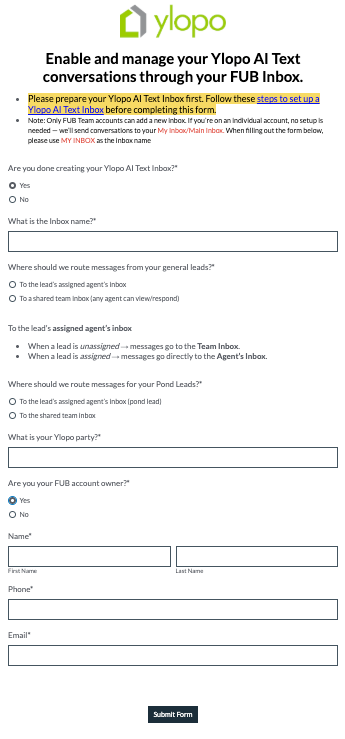
Once you have completed the form, you will see a confirmation screen. From here, a Ylopo Product Support will contact you within 1-2 business days once it’s set up.
FAQs
Questions? Reach out to Ylopo at support@ylopo.com.